

The autonomous agent platform
Autonomous AI agents, each in its own isolated cloud sandbox.
Rudran runs every agent as a long-lived process on its own sandboxed machine, 24/7. Agents plan first and wait for your approval before anything happens. Then they work, and leave a timeline of every action they took.
Built for lean teams who need the work done and the receipts to prove it.
Early access is open. Request an account and we admit the next batch from the waitlist.
- 1
- isolated sandbox per agent
- 3
- supervision tiers, set per agent
- 6
- built-in abilities, each switchable per agent
- Cloud Run
- web, API and model gateway on Google Cloud, us-west2
The problem
Agents need somewhere to actually live.
An agent that does real work needs a persistent machine, hours of runtime, tools that can change things, and a human who can stop it before it does. A chat session gives it none of those.
Three things break the moment you try to run agents for real:
- Agents that can run commands and edit files need isolation from each other, not a shared process.
- Work that matters needs a human decision before it happens, not an apology afterwards.
- When an agent finishes, you need to see what it actually did, not just what it says it did.
What you hand an agent
Real work, with a record of everything the agent did.
Four kinds of work people delegate to a Rudran agent. Examples of the work, not customer stories.
Research and writing
Give an agent a question and it searches the web, reads what it finds, and writes the draft. Every tool call lands on the run timeline you can read afterwards.
Documents on a canvas
Documents the agent produces land on a canvas you can open, version and export.
Plans executed after approval
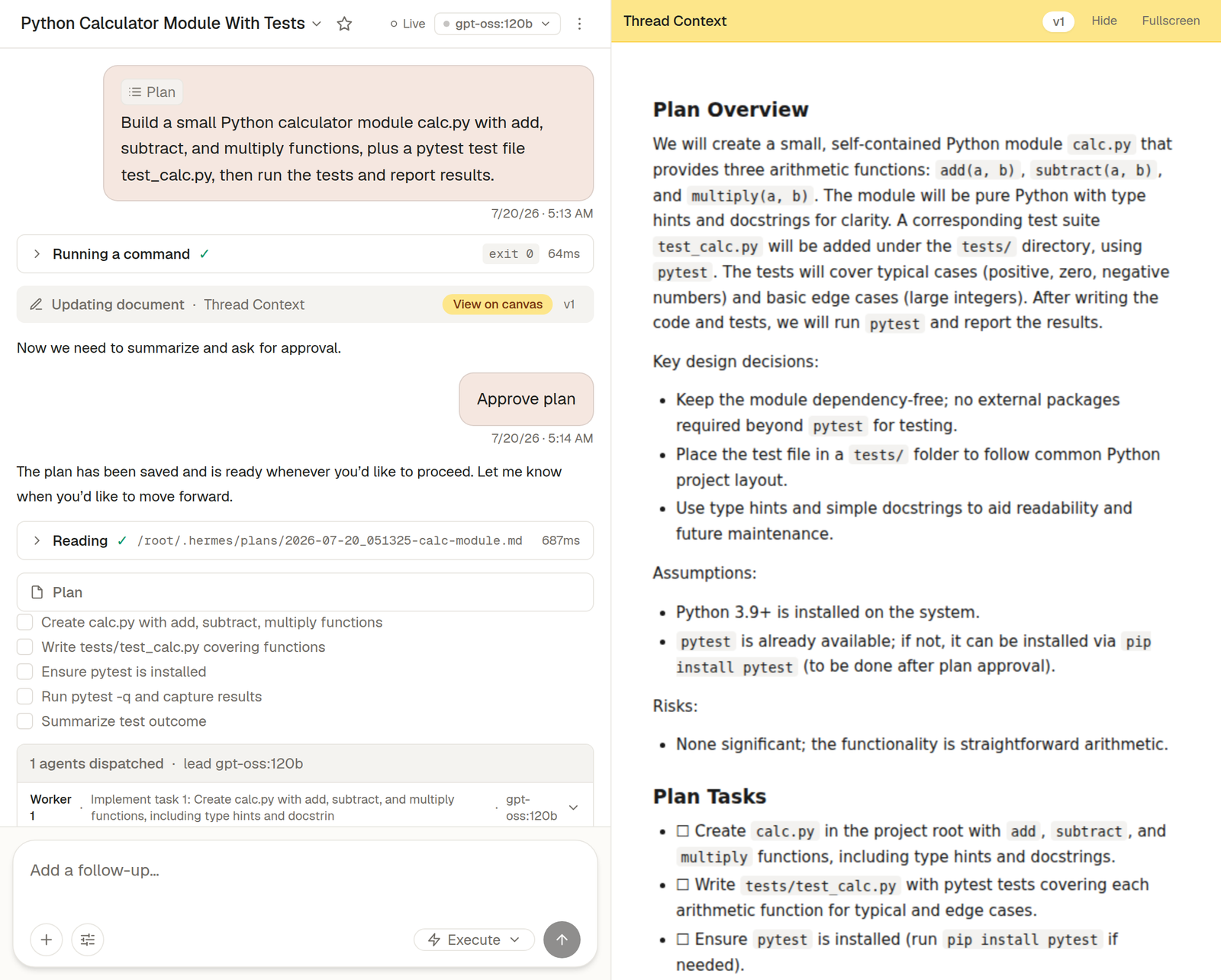
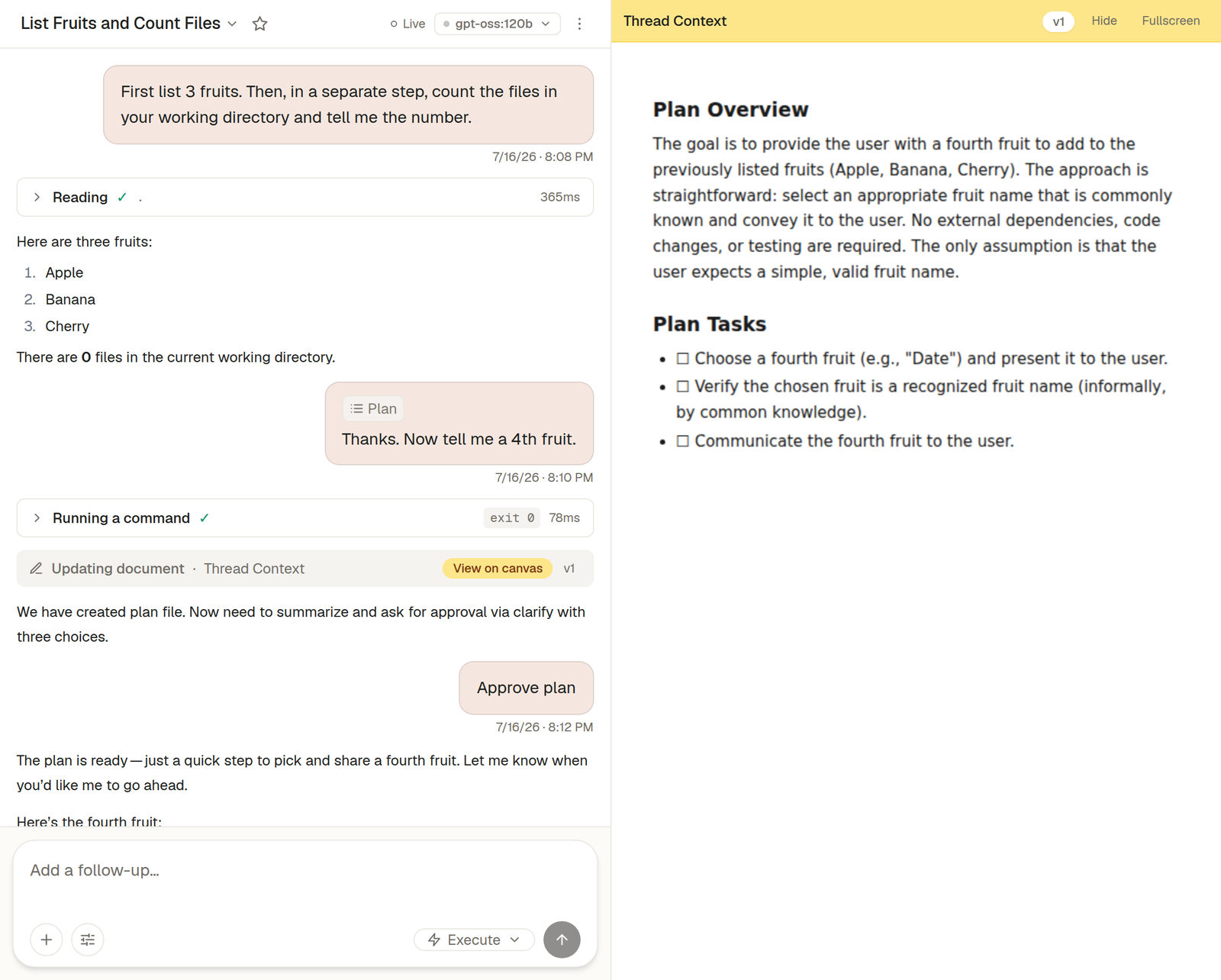
Describe the work in a thread. The agent returns a plan and stops, and nothing runs until you approve it.
Standing tasks on a schedule
Give an agent a schedule and it runs without you watching. When it reaches something sensitive, it stops and emails you.
How a run works
Plan first. Approve. Then execute.
The approval gate is not a setting you can forget to turn on. A sensitive action never executes without a recorded human decision, and the gate fails closed even when Rudran itself is degraded.
You describe the work
In a thread, in plain language. Pick the agent, or let a standing one pick it up on a schedule.
The agent returns a plan
And stops. Nothing has run yet. You read what it intends to do before it does any of it.
You approve
It executes across as many tool-calling turns as the work needs, pausing again for anything sensitive.
You check the work
Every action lands on a timeline you can read afterwards, with the result attached.
Architecture
One sandbox per agent.
Each agent gets its own isolated machine with its own filesystem, its own shell and its own process space. Agents hibernate when idle and wake when you or a schedule calls them.
Your workspace
Threads and schedules
You direct agents, or a schedule does.
One sandbox per agent
Agent — isolated sandbox
Own filesystem, own shell, own process space. Hibernates when idle.
Agent — isolated sandbox
Each agent gets its own machine, so one agent's files and processes are not another's.
Before anything sensitive
Approval gate
Fails closed. A sensitive action never runs without a recorded human decision.
Model per agent
Model gateway
Routes each agent to the model you chose for it.
Run timeline
Every step above writes to one readable record — the plan, each tool call, each approval and its result. It stays after the run ends, which is how you check the work rather than trusting it.
Supervision
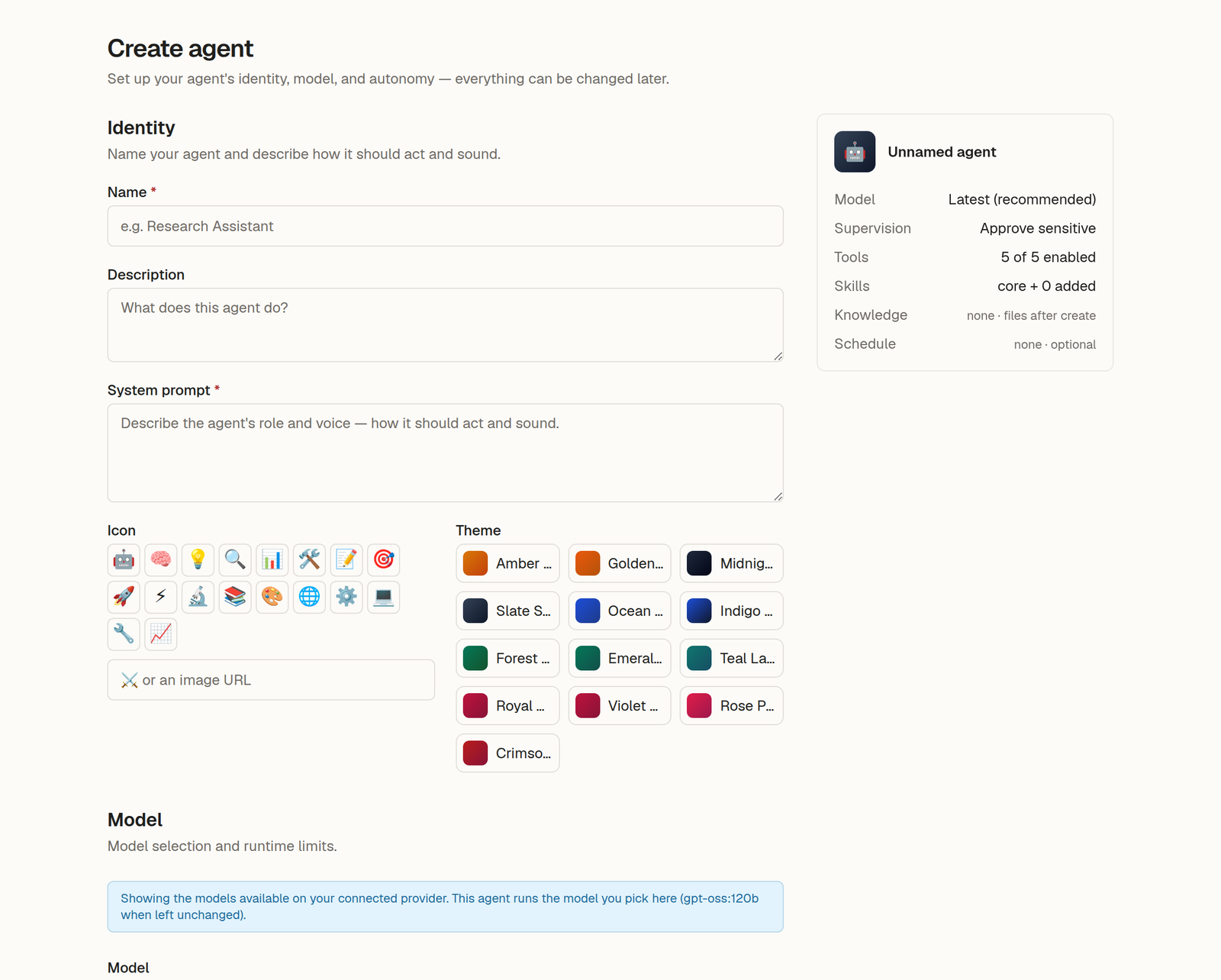
You decide what an agent is allowed to do.
Autonomy is a dial, set per agent. Not a switch you flip once for everything you own.
- Three supervision tiers
- Approve everything, approve only sensitive actions, or let it run unattended. Set per agent, changed any time.
- A gate that fails closed
- A sensitive action never executes without a recorded human decision — including when the platform itself is degraded.
- A hard safety floor
- A backend-side floor refuses a class of destructive commands outright, whatever the agent or its instructions ask for. It has fired on the live deployment.
- A readable trail
- Every tool call, approval and result is recorded on the run timeline and stays there after the run ends.
What an agent can do
A real machine, not a text box.
Inside its sandbox an agent has six built-in abilities, plus sub-agents and inbound webhooks. Each ability can be turned off per agent.
Web search
Search the web and read page content.
Web browser
Navigate and interact with websites — click, type, and fill forms.
Terminal
Run shell commands inside the agent's own sandbox.
Run code
Execute Python to compute results or call tools programmatically.
File access
Read, write, and search files in the agent's workspace.
Sub-agents
Split a plan across parallel sub-agents, each on a model you choose.
Text to speech
Convert text to spoken audio.
Webhooks
Receive work from any system that can POST JSON to a URL.
Models and infrastructure
Choose the model for each agent.
A research agent and a code agent do not want the same model. Rudran has no house default and takes no position on which model you should use. You pick, per agent, and change it later without rebuilding anything.
Running on Google Cloud
The Rudran web app, API and model gateway run on Cloud Run in the Google Cloud us-west2 region, behind a Google Cloud load balancer. Agent sandboxes run today on a container sandbox provider with managed MongoDB and Redis tiers. The agent runtime is deliberately separated from its infrastructure behind a provider interface, so the platform underneath can change without the product above it changing.
The next provider behind that interface is Google Cloud:
- GKE Agent Sandboxper-agent isolation with gVisor and snapshot-based suspend and resume for idle agents
- Gemini Enterprise Agent PlatformGemini models as a first-class choice in the model picker
- MongoDB Atlas on Google Cloud, and Memorystorethe run spine and its queue
The list above is planned work, not work already done: Gemini reaches the model picker in Q3 2026, and sandbox provider certification on GKE Agent Sandbox is targeted for Q4 2026.
Always on
Agents keep working when you are not there.
An agent can run on a schedule, or when a webhook fires. It does not need you watching, and it does not need a browser tab left open.
When an unattended run reaches something sensitive, it stops and emails you. The work waits for your decision rather than guessing.
The product
What it looks like in use.
These are the real screens, in the order you meet them.
Pricing
Prepaid credits. No overage.
Work is paid for in credits you buy up front. When the balance reaches zero, work pauses. Rudran never bills past your balance, so there is no invoice you did not expect.
Full pricing- Free
- A daily allowance while you try it. No card.
- Prepaid credits
- Buy credits, spend them across every agent you run.
- No seats
- You are charged for work done, not for people added.
Built by
Rudran Labs Inc.

Venkata Ramana Ravi Teja Gannamaneni
Founder, Rudran Labs Inc.
I'm the founder of Rudran Labs Inc., a federal corporation incorporated in Canada. I build Rudran: it runs each agent as a long-lived process on its own sandboxed machine, plans before it acts, waits for a human decision on anything sensitive, and leaves a readable record of everything it did.
Give an agent a machine and a job.
Early access is open. Request an account and we will tell you where you are in the queue.
Built by Venkata Ramana Ravi Teja Gannamaneni. Rudran Labs Inc. is a federal corporation incorporated in Canada.