Product
A machine, a job, and a record of what happened.
Rudran gives each agent its own sandboxed computer and a supervision model you control. This page is what it actually does today, not what is planned.
The lifecycle of a run
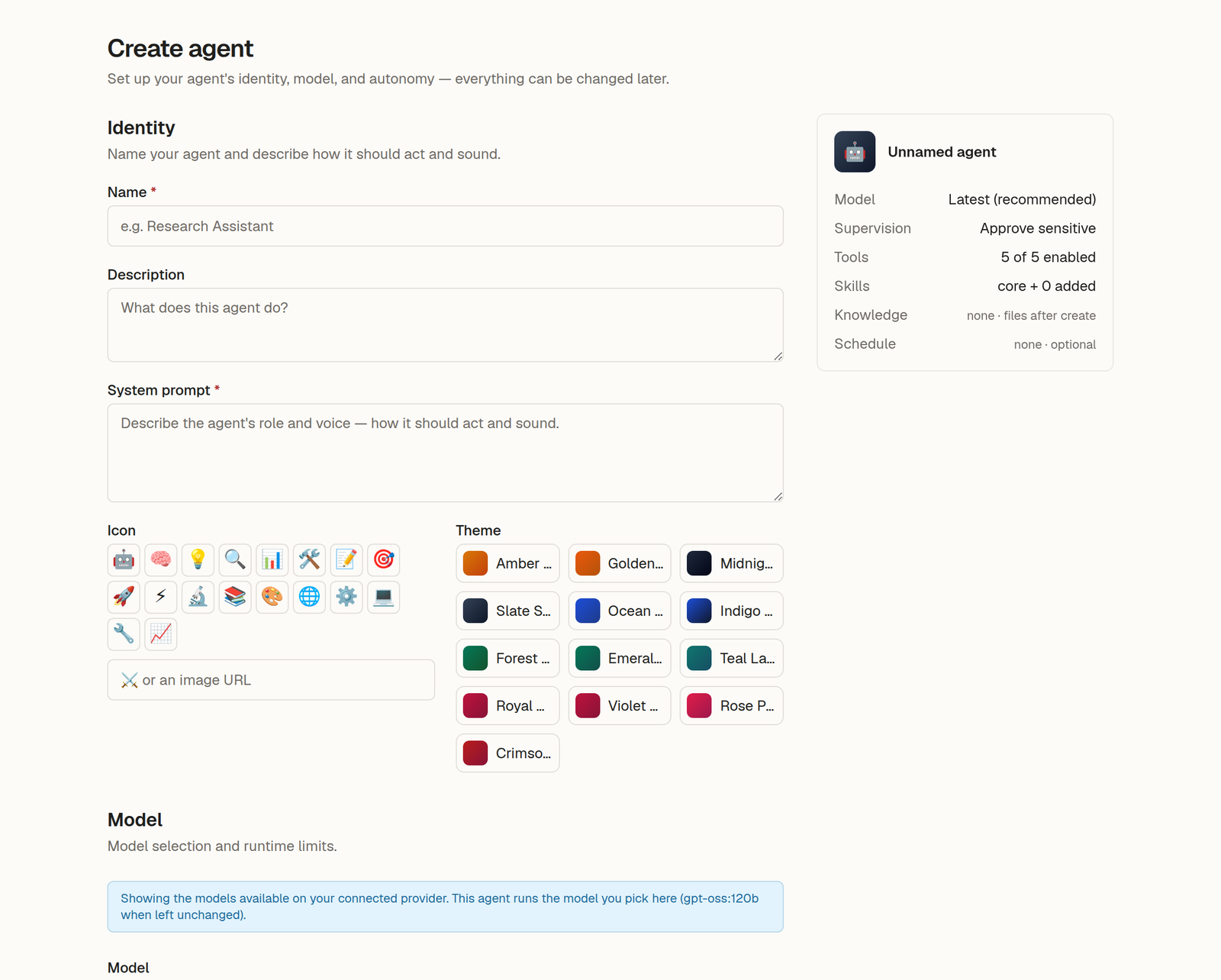
Create an agent
Name it, write its playbook in plain language, choose its model, set how much supervision it needs, and optionally give it a schedule.
Direct it in a thread
Describe the work. The agent reads its playbook, its memory, and whatever knowledge you have given it.
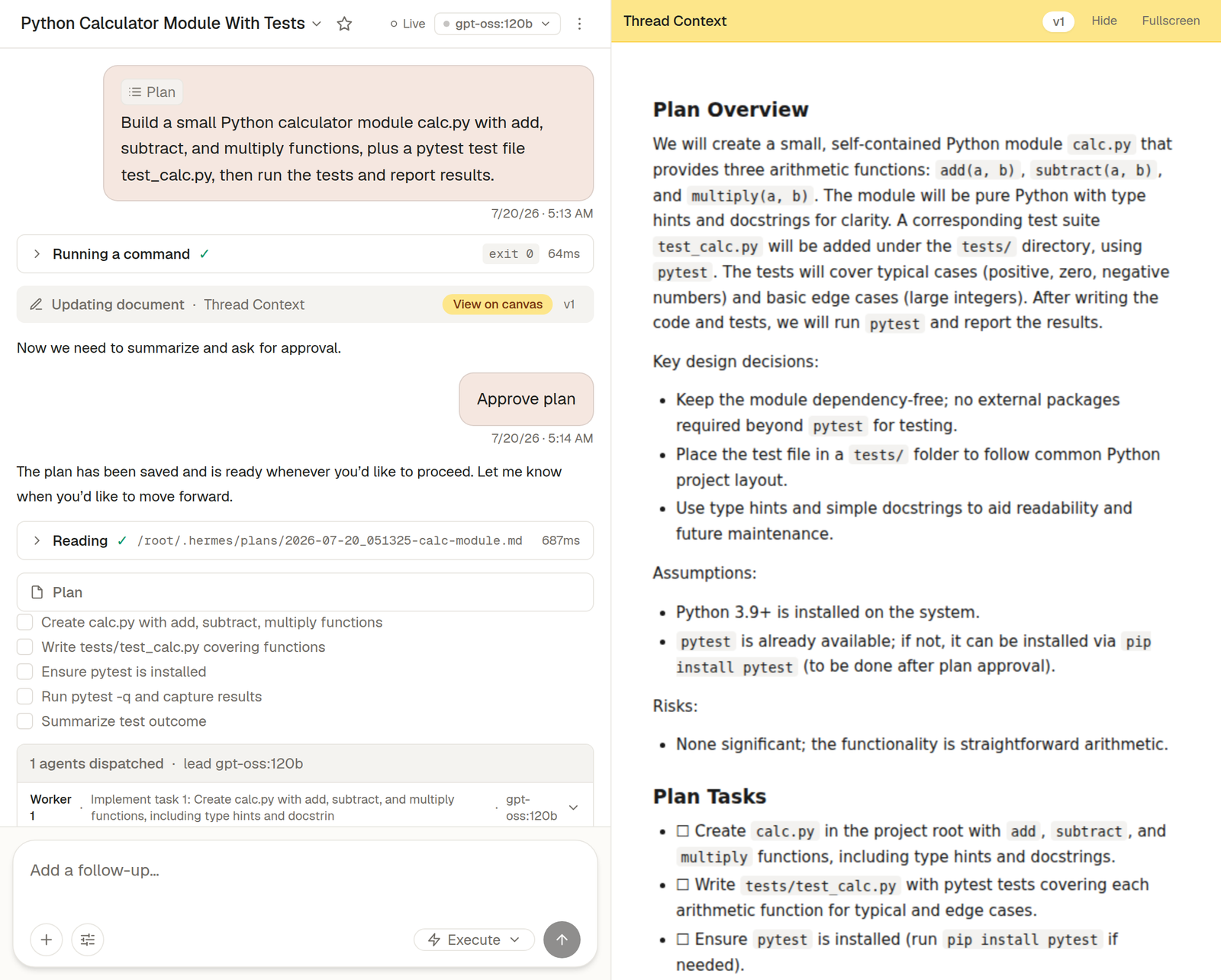
Read the plan
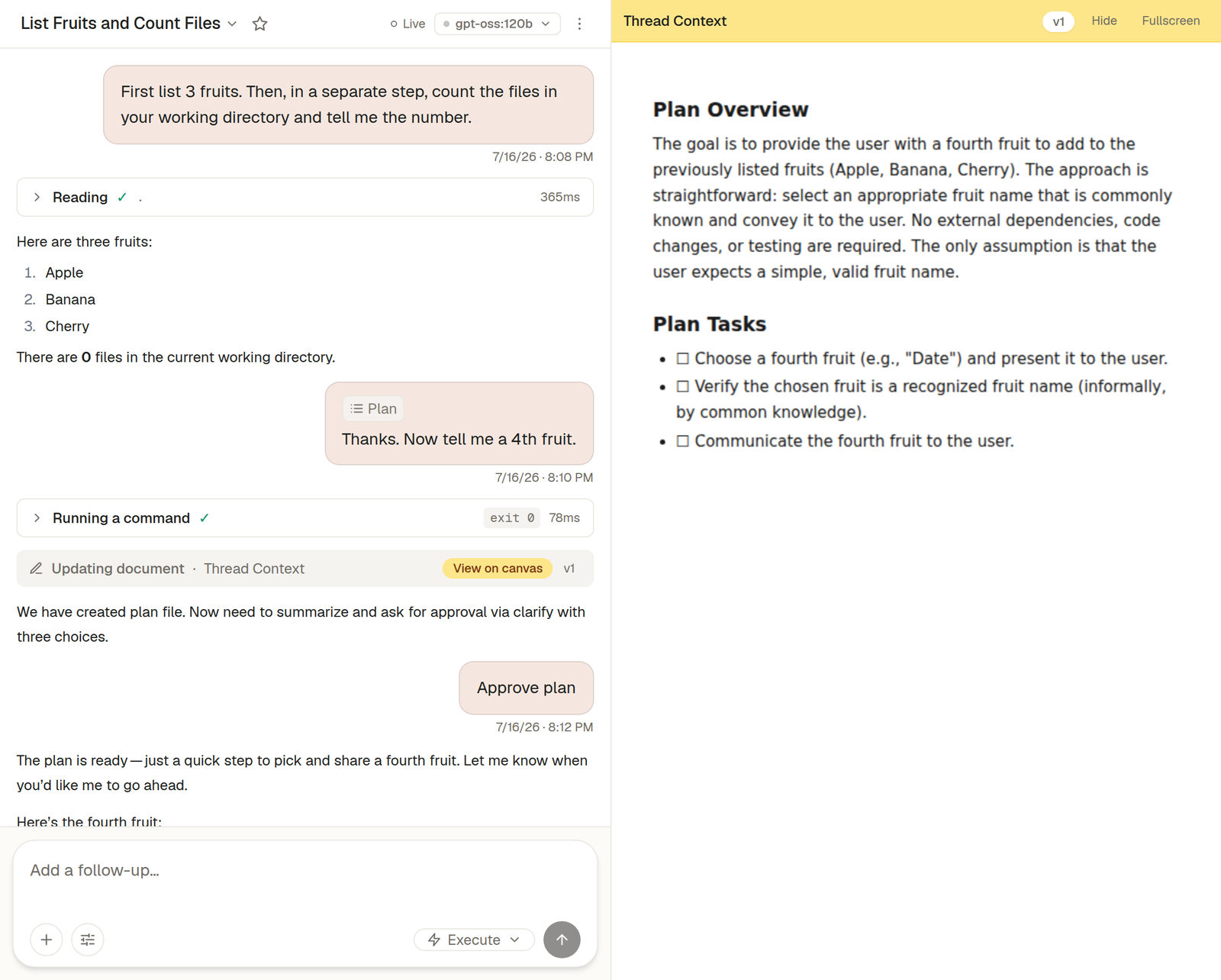
Before anything runs, the agent returns the steps it intends to take. You approve, edit the request, or stop.
It executes
Across as many tool-calling turns as the work needs, inside its own sandbox, pausing for a decision on anything sensitive.
Check the work
The run timeline holds every tool call and result. Documents the agent produced land on a canvas you can open, version and export.
How it is put together
Your workspace
Threads and schedules
You direct agents, or a schedule does.
One sandbox per agent
Agent — isolated sandbox
Own filesystem, own shell, own process space. Hibernates when idle.
Agent — isolated sandbox
Each agent gets its own machine, so one agent's files and processes are not another's.
Before anything sensitive
Approval gate
Fails closed. A sensitive action never runs without a recorded human decision.
Model per agent
Model gateway
Routes each agent to the model you chose for it.
Run timeline
Every step above writes to one readable record — the plan, each tool call, each approval and its result. It stays after the run ends, which is how you check the work rather than trusting it.
What an agent can do
Inside its sandbox an agent has real tools. Each can be turned off per agent, so an agent only holds the capabilities its job needs.
Web search
Search the web and read page content.
Web browser
Navigate and interact with websites — click, type, and fill forms.
Terminal
Run shell commands inside the agent's own sandbox.
Run code
Execute Python to compute results or call tools programmatically.
File access
Read, write, and search files in the agent's workspace.
Sub-agents
Split a plan across parallel sub-agents, running on a model you choose for them.
Text to speech
Convert text to spoken audio.
Webhooks
Take work from any system that can POST JSON to a URL.
Image generation and image understanding are wired but not yet enabled. They are listed on the roadmap rather than here, because a control that silently does nothing teaches distrust.
Supervision
- Approve everything
- The agent stops before every action that changes anything.
- Approve sensitive actions
- Routine reads proceed; anything that writes, sends, or deletes waits for you.
- Unattended
- The agent runs on its own. The hard safety floor still applies, and it still stops for the actions the floor refuses.
The gate is enforced server-side, not by prompting. A sensitive action never executes without a recorded human decision, and it fails closed if the platform is degraded.
The product
What it looks like in use.
These are the real screens, in the order you meet them.
Accounts are admitted in batches while sandbox capacity is limited.